
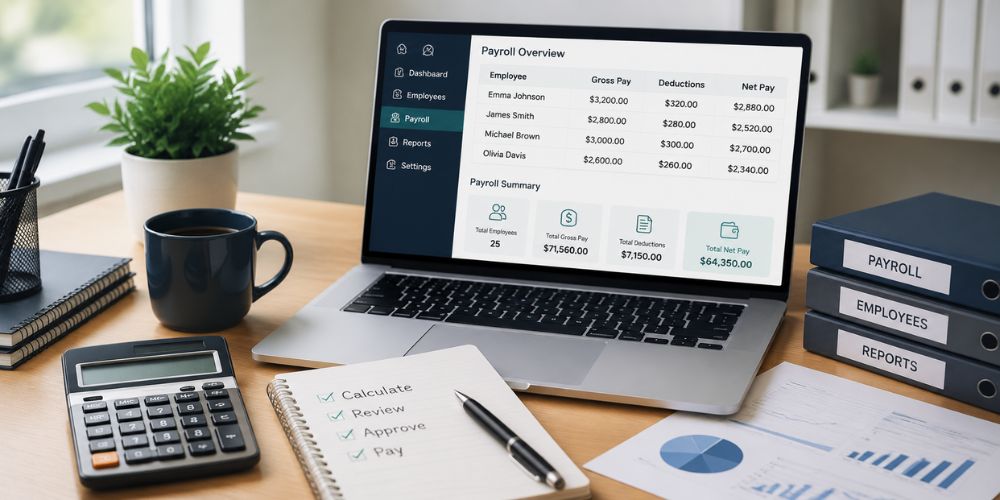
A small payroll mistake rarely stays small. One missed timesheet can delay wages. A forgotten bonus can force a second payment. An owner may spend Friday evening fixing figures while employees wait for an answer.
Good payroll is mostly routine. The same dates, the same checks and one clear owner for the process. Right HR Solutions works across HR and payroll, but the everyday discipline still starts inside the business.
The wider payroll practices matter too. Software helps, but payroll becomes reliable only when records arrive on time and someone reviews the final numbers before money moves.
What Should Be Ready Before Payroll Starts?
For anyone asking how to manage Payroll for the small business, the first step is not pressing “run payroll.” The business needs the right registrations, complete employee details and enough money set aside for wages plus taxes.
Each employee file should include a legal name, address, Social Security number, pay rate, start date, withholding forms and bank details. Any change needs to reach payroll before the cut-off. A new address or bank account left in an old email can create trouble weeks later.
Worker classification also needs care. An employee does not become an independent contractor because the arrangement feels easier that way. The working relationship, control over the job and other facts determine the correct status.
Before the first payroll, the business should confirm:
Federal and state registrations
Employee tax forms
Pay rates and overtime rules
Benefit deductions
Direct-deposit details
A separate amount reserved for payroll taxes
Which Pay Schedule Fits the Business?
The schedule should match the type of workforce and state payday rules. Weekly pay is common for hourly teams. Biweekly or semimonthly pay may suit salaried staff. Whatever the choice, employees should know the dates in advance.
A payroll calendar prevents last-minute chasing. It should show the timesheet deadline, manager approval date, processing day, payday and tax deadlines.
The cut-off needs to mean something. When hours arrive late every other week, payroll becomes guesswork. Supervisors should know when edits stop. Employees should know when overtime or commission must be reported.
A steady schedule also helps cash flow. The business can see when wages, taxes and benefit payments will leave the account instead of being surprised by several withdrawals in the same week.
What Needs Checking Before Payday?
Payroll should follow the same order every time. Hours come first. Then leave, bonuses, commissions and rate changes. After that, deductions and taxes are reviewed before net pay is released.
The final report should be compared with the last pay period. A large difference may be correct, but it needs a reason. Perhaps a new employee started. Maybe overtime was unusually high. A quick comparison catches numbers that look out of place.
A practical review asks:
Is every active employee included?
Has anyone left the company?
Do approved hours match the system?
Were raises entered on the right date?
Are deductions still current?
Is enough money available for payroll and taxes?
One person should make the final approval. Too many hands can make responsibility unclear.
Why Do Small Payroll Errors Keep Returning?
Many mistakes start outside payroll. A supervisor approves hours late. A benefit change stays in an inbox. A manager promises a bonus but never sends the amount. The payroll system then processes exactly what it was given.
The article on payroll errors shows how repeated mistakes can affect tax records, staff trust and admin time. Fixing the payment matters, but finding the source matters more.
When an employee reports a short paycheck, the response should be plain. The business should confirm what happened, explain the correction and give a realistic payment date. Silence makes a small mistake feel careless.
Every correction needs a note. The record should show what changed, why it changed and when the employee received the missing amount. That history helps when the same issue appears again.
Which Records Need to Be Kept?
Payroll records should not be split between personal spreadsheets, paper folders and old messages. One secure system should hold hours, pay rates, deductions, tax filings and correction notes.
Access should stay limited. Payroll contains bank details, addresses, Social Security numbers and pay information. Shared passwords or files sent through ordinary email create avoidable risk.
Retention periods vary by record type and state. Employment tax records often need to remain available for years. Wage records may have a different rule. The business should follow the longest requirement that applies rather than clearing files too early.
Backups also matter. A damaged laptop should not wipe out the only copy of last year’s payroll.
When Does Payroll Need Outside Support?
Outside help becomes useful when payroll starts taking time away from customers, hiring or daily operations. Growth adds new pay rates, deductions, locations and reporting duties quickly.
A provider still needs clean information. Approved hours must arrive on time. Employee changes must be reported. Outsourcing calculations does not remove the business owner’s responsibility to review reports and keep enough money available.
The right support should make payroll calmer, not more mysterious. Reports should be clear. Questions should have direct answers. Errors should be traced instead of patched each month.
Conclusion
Reliable payroll comes from a steady calendar, complete records and one careful review before payday. Employees should receive the right amount without needing to chase it.
Payroll Management Services can take over processing, tax reporting and routine payroll checks when the workload becomes too much for a small team. Good payroll may look uneventful. That is usually the point.