
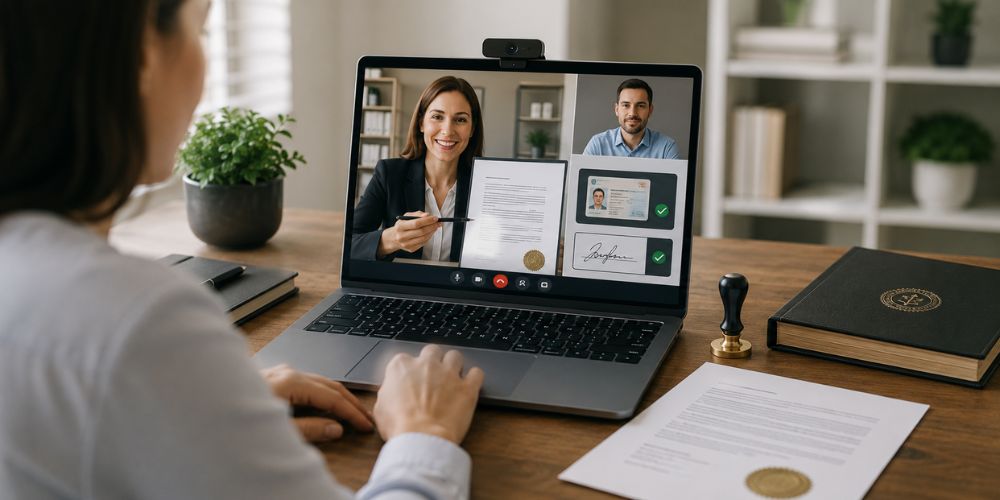
A form can sit ready for days because one signature still needs a notary. The nearest office may be closed. A bank may only help account holders. A signer may also be travelling when the document suddenly becomes urgent. Online notarization handles that gap through a live video meeting with a commissioned notary.
The process is convenient, but it is not casual. A file still needs the correct pages, an acceptable ID and a clear notarial act. Right HR Solutions provides online and in-person document support, though the receiving organisation should confirm what format it will accept before an appointment is booked.
Start With the Receiving Party
Before uploading anything, the signer should contact the organisation that requested the document. A court clerk, lender, school, employer or overseas authority may follow its own rules. Some accept a digitally notarized PDF. Others ask for a printed copy or an original paper document.
That check can prevent a repeat appointment. It also confirms whether witnesses are needed and whether remote notarization is allowed for that document. The notary cannot make those decisions for the signer.
Know Which Notarial Act Is Needed
A notary does more than watch a signature appear. The certificate must match the act being performed.
An acknowledgment confirms that the signer appeared and acknowledged signing willingly. A jurat involves an oath or affirmation about the truth of a statement. Affidavits often use jurats, so a plain explanation of what a notarized affidavit involves can help someone recognise the difference before the video call.
When wording is missing, the document preparer or receiving party should provide instructions.
Get the File Ready
The document should be complete, readable and unsigned unless the receiving party has said otherwise. Blank spaces can raise questions. A missing attachment can stop the appointment halfway through.
Names deserve a close look. The name on the document should reasonably match the identification being presented. A recent name change, shortened first name or spelling error may need attention before the session.
The signer should also check the page order. Phone scans sometimes crop signatures, seals or page numbers. A clean PDF is easier to review.
Prepare the ID and Device
Florida remote online notarization uses live audio-video communication. When the notary does not personally know the signer, identity checks generally involve a government-issued ID, credential analysis and identity proofing. The session is recorded through the approved platform.
A laptop, tablet or phone may work, provided the camera and microphone are clear. Good lighting matters. An ID held under a bright ceiling light can produce glare. A weak connection may freeze the screen when the signer is asked to respond.
A quiet room helps. Another person may assist with the device, but that person should not answer questions or pressure the signer
Join the Live Session
The notary will confirm identity and review the document for obvious problems. The signer may be asked whether the signature is voluntary. For a jurat, an oath or affirmation takes place before signing.
The electronic signature is applied during the session. The notary completes the certificate with an electronic signature and seal. Florida law requires the certificate to show that the act was completed online.
Someone who cannot pass the identity check may need another attempt or an in-person appointment. A comparison of whether banks notarize documents may help when a local alternative is needed.
Check the Completed Copy
The finished file should be opened before it is sent anywhere. The signer should confirm that every page is present and the name is correct. The notarial certificate should be attached to the right document.
Notarization does not prove that every statement is accurate. It does not approve a contract or confirm ownership rights. It records the notarial act and the signer’s appearance.
A document going abroad may need another stage after notarization. Florida apostille services deal with authentication for eligible documents intended for use in another country. That process is separate from ordinary notarization.
Avoid the Usual Delays
Most delays are ordinary. The camera will not focus. The ID has expired. The document was signed too early. A required witness is absent. The recipient wanted a different certificate.
Checking those details beforehand saves more time than rushing into the call. A notary should also stop when identity is uncertain or the signer appears confused or unwilling.
Conclusion
Anyone learning how to notarize a document online should begin with the recipient’s requirements, then prepare the unsigned file, valid ID and working device. A careful check before the appointment can prevent the document from coming back later.